

Проблема с обновлением в Windows11 24H2

Цитата: Vital от 10.10.2024, 10:56Всем привет! Вот такой трабл, до твикера всё ставилось, службы не трогал. Накопительное обновление для Windows 11 Version 24H2 для систем на базе процессоров x64, 2024 10 (KB5044284) Не удалось установить: 10.10.2024 – 0x80073712
Всем привет! Вот такой трабл, до твикера всё ставилось, службы не трогал. Накопительное обновление для Windows 11 Version 24H2 для систем на базе процессоров x64, 2024 10 (KB5044284) Не удалось установить: 10.10.2024 – 0x80073712


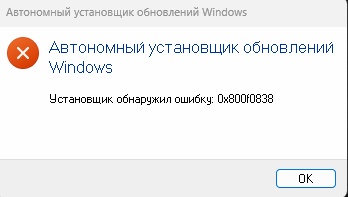
Цитата: Vital от 10.10.2024, 14:20Что то не зашло
Что то не зашло

Цитата: Вася от 11.10.2024, 01:01С зарубежного сайта
[spoiler title=""]Before you install this update
To get the standalone package(s) for this update, go to the Microsoft Update Catalog website. This KB contains one or more MSU files that must be installed in order.Install this update
Method 1: Install all MSU files together
Download all MSU files for KB5044284 from Microsoft Update Catalog and place them in the same folder (for example, C:/Packages). Use Deployment Image Servicing and Management (DISM.exe) to install the target update. DISM will use the folder specified in PackagePath to discover and install one or more prerequisite MSU files as needed.Updating Windows PC
To apply this update to a running Windows PC, run the following command from an elevated Command Prompt:
DISM /Online /Add-Package /PackagePath:c:\packages\Windows11.0-KB5044284-x64.msu Or, run the following command from an elevated Windows PowerShell prompt:
Add-WindowsPackage -Online -PackagePath "c:\packages\Windows11.0-KB5044284-x64.msu" Updating Windows Installation media
To apply this update to Windows Installation media, see Update Windows installation media with Dynamic Update.To add this update to a mounted image, run the following command from an elevated Command Prompt:
DISM /Image:mountdir /Add-Package /PackagePath:Windows11.0-KB5044284-x64.msu Or, run the following command from an elevated Windows PowerShell prompt:
Add-WindowsPackage -Path "c:\offline" -PackagePath "Windows11.0-KB5044284-x64.msu" -PreventPending [/spoiler]
С зарубежного сайта
To get the standalone package(s) for this update, go to the Microsoft Update Catalog website. This KB contains one or more MSU files that must be installed in order.
Install this update
Method 1: Install all MSU files together
Download all MSU files for KB5044284 from Microsoft Update Catalog and place them in the same folder (for example, C:/Packages). Use Deployment Image Servicing and Management (DISM.exe) to install the target update. DISM will use the folder specified in PackagePath to discover and install one or more prerequisite MSU files as needed.
Updating Windows PC
To apply this update to a running Windows PC, run the following command from an elevated Command Prompt:
| DISM /Online /Add-Package /PackagePath:c:\packages\Windows11.0-KB5044284-x64.msu |
Or, run the following command from an elevated Windows PowerShell prompt:
| Add-WindowsPackage -Online -PackagePath "c:\packages\Windows11.0-KB5044284-x64.msu" |
Updating Windows Installation media
To apply this update to Windows Installation media, see Update Windows installation media with Dynamic Update.
To add this update to a mounted image, run the following command from an elevated Command Prompt:
| DISM /Image:mountdir /Add-Package /PackagePath:Windows11.0-KB5044284-x64.msu |
Or, run the following command from an elevated Windows PowerShell prompt:
| Add-WindowsPackage -Path "c:\offline" -PackagePath "Windows11.0-KB5044284-x64.msu" -PreventPending |

Цитата: Вадим от 14.10.2024, 15:17https://remontka.pro/windows-11-24h2-upgrade/